No tech skills required
If you can type into a chat box, you can use Quillset. Save a prompt once, fill in the blanks next time. No setup, no jargon, no coding.
 Quillset
Your personal AI prompt library
Quillset is a fast, friendly desktop app for everyone who uses AI tools — no coding or technical know-how required. If you can type into a chat box, you can use Quillset.
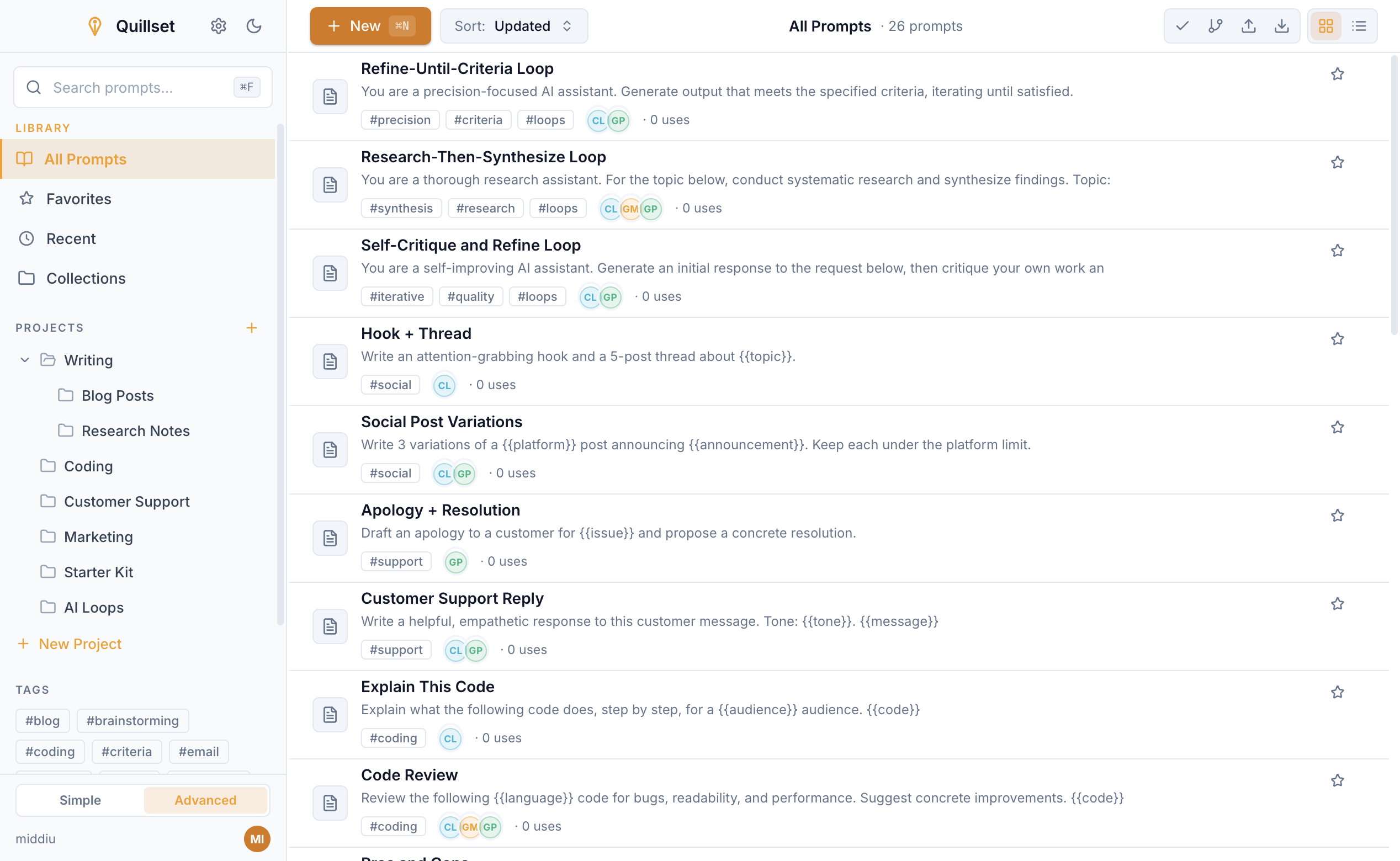
A look inside
Real screenshots from the app. Start simple, then turn on more power whenever you are ready — nothing is forced on you.
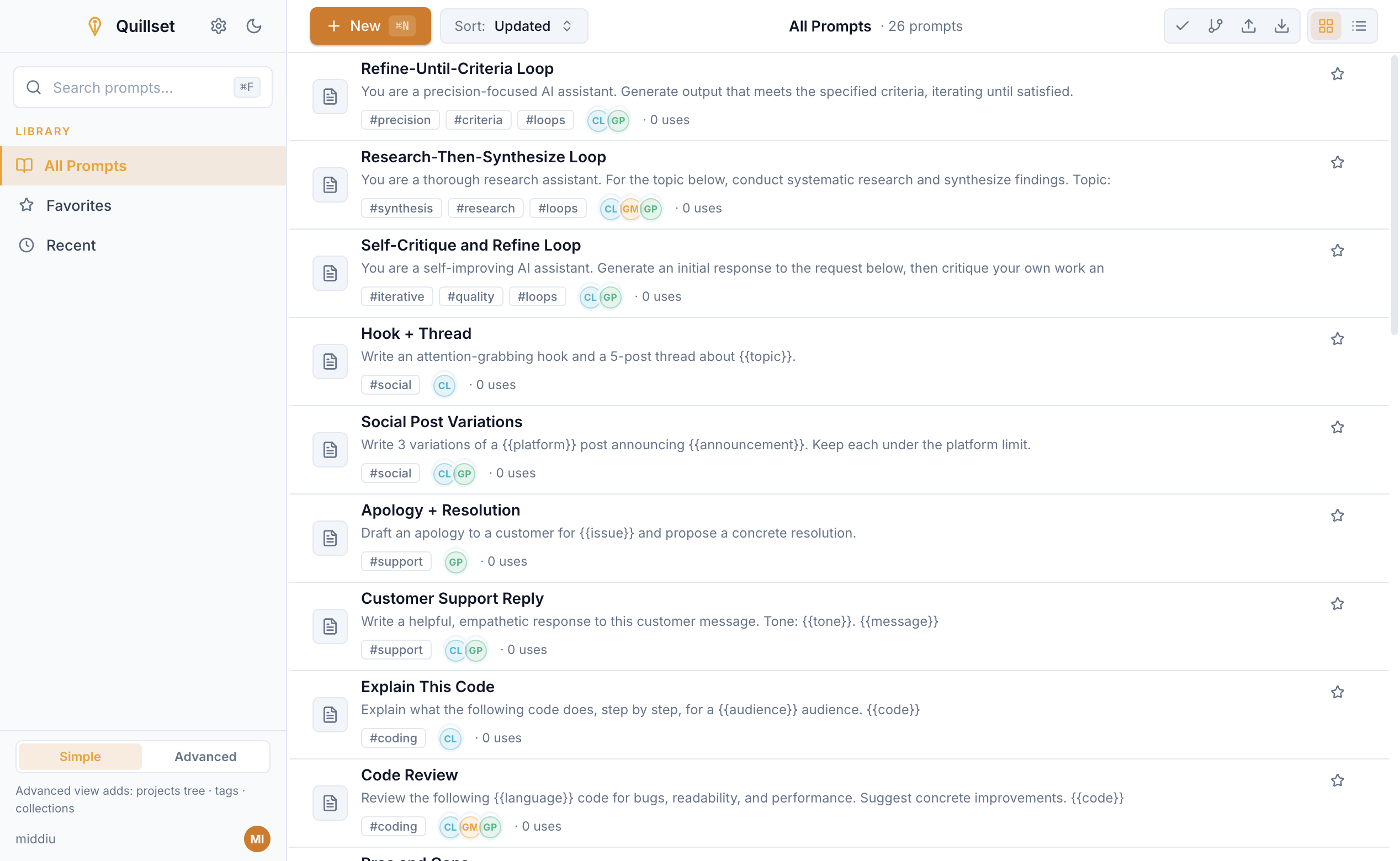
A clean, simple list of every prompt you have saved. Start in Simple mode — no clutter, nothing to learn.
Switch to Advanced any time to organize prompts into projects, collections, and tags. Power is there when you need it.
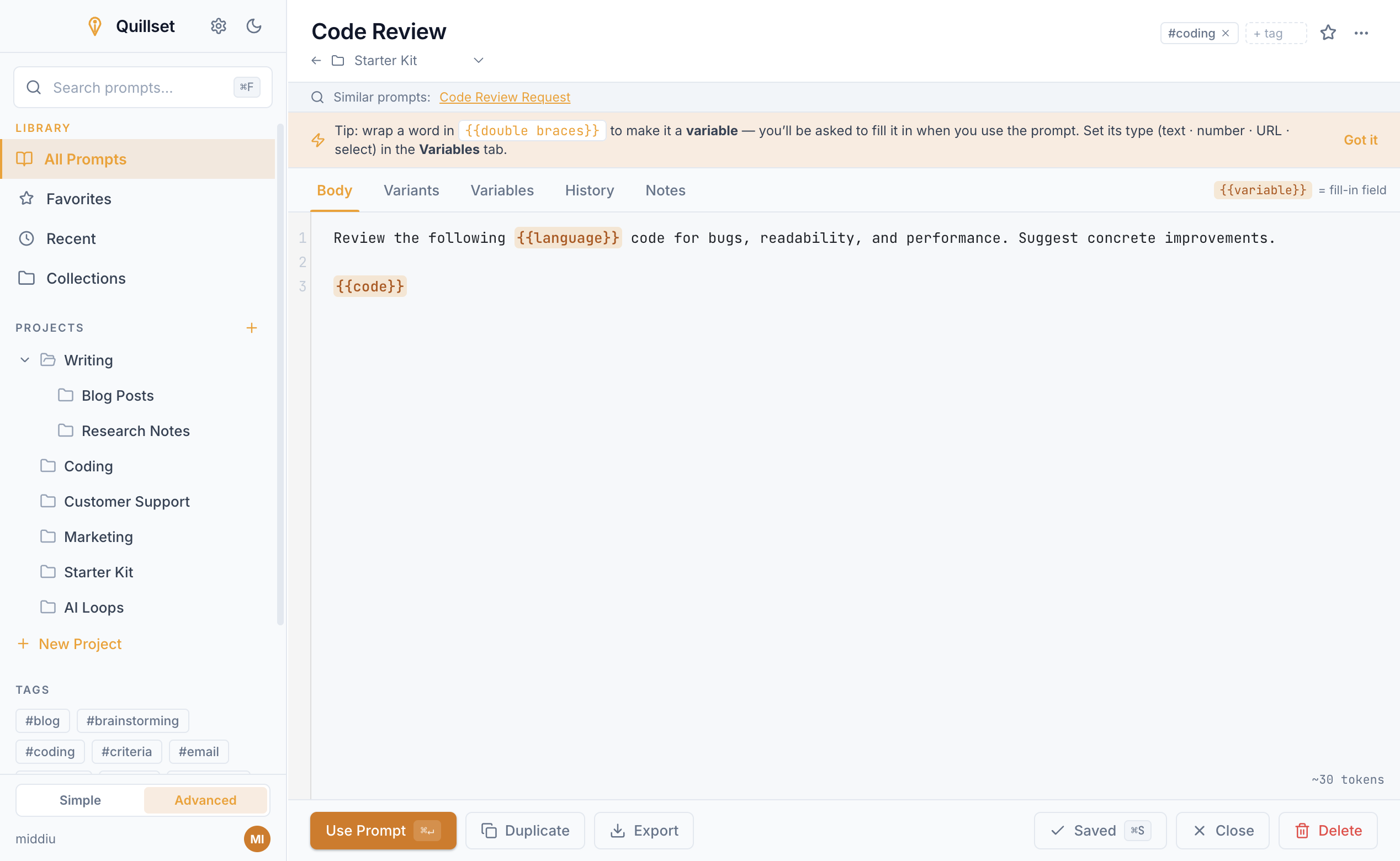
Mark the parts that change with {{placeholders}}. The rest stays exactly how you wrote it.
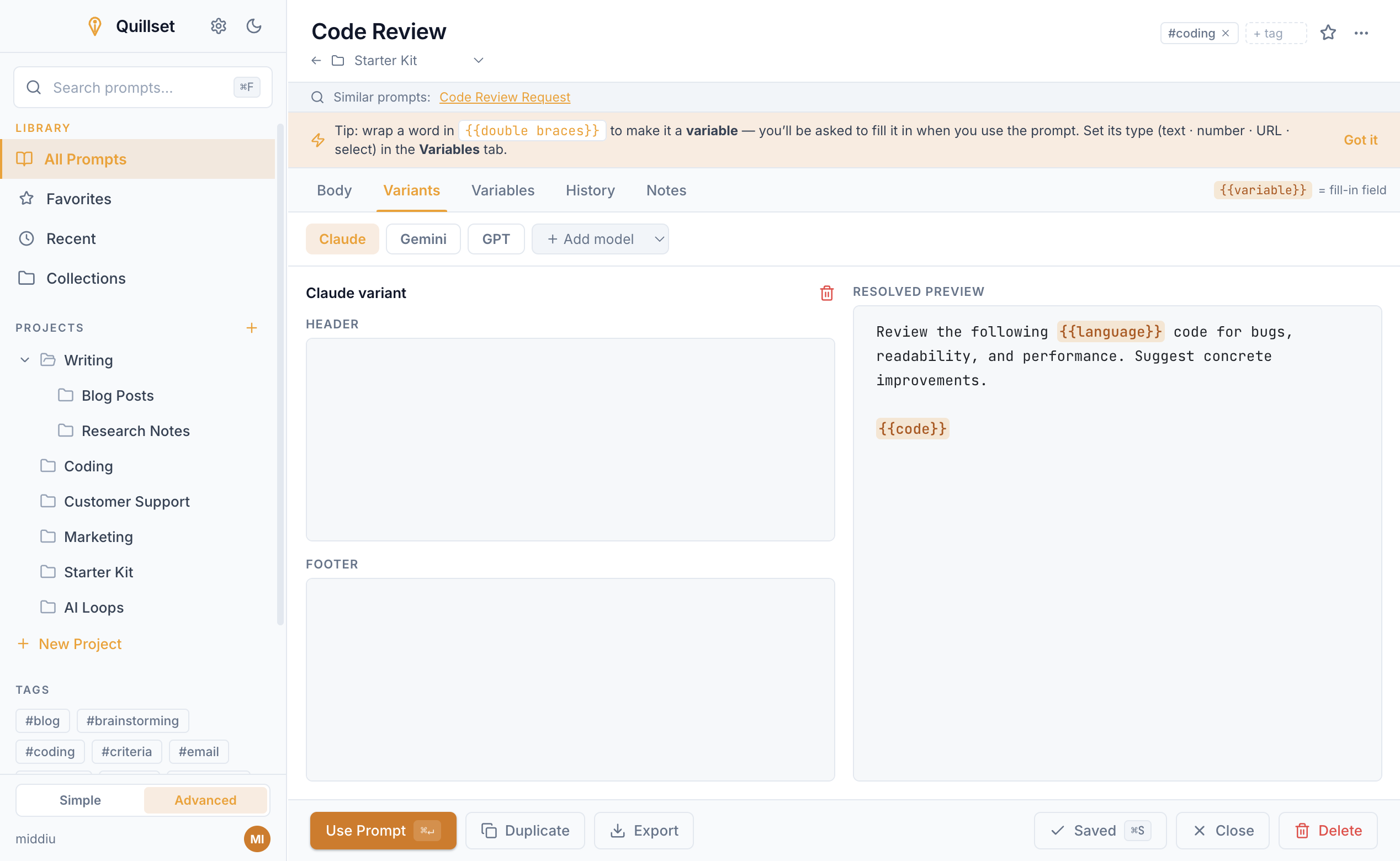
Add a small header or footer for Claude, ChatGPT, and others, and see the resolved prompt update live.
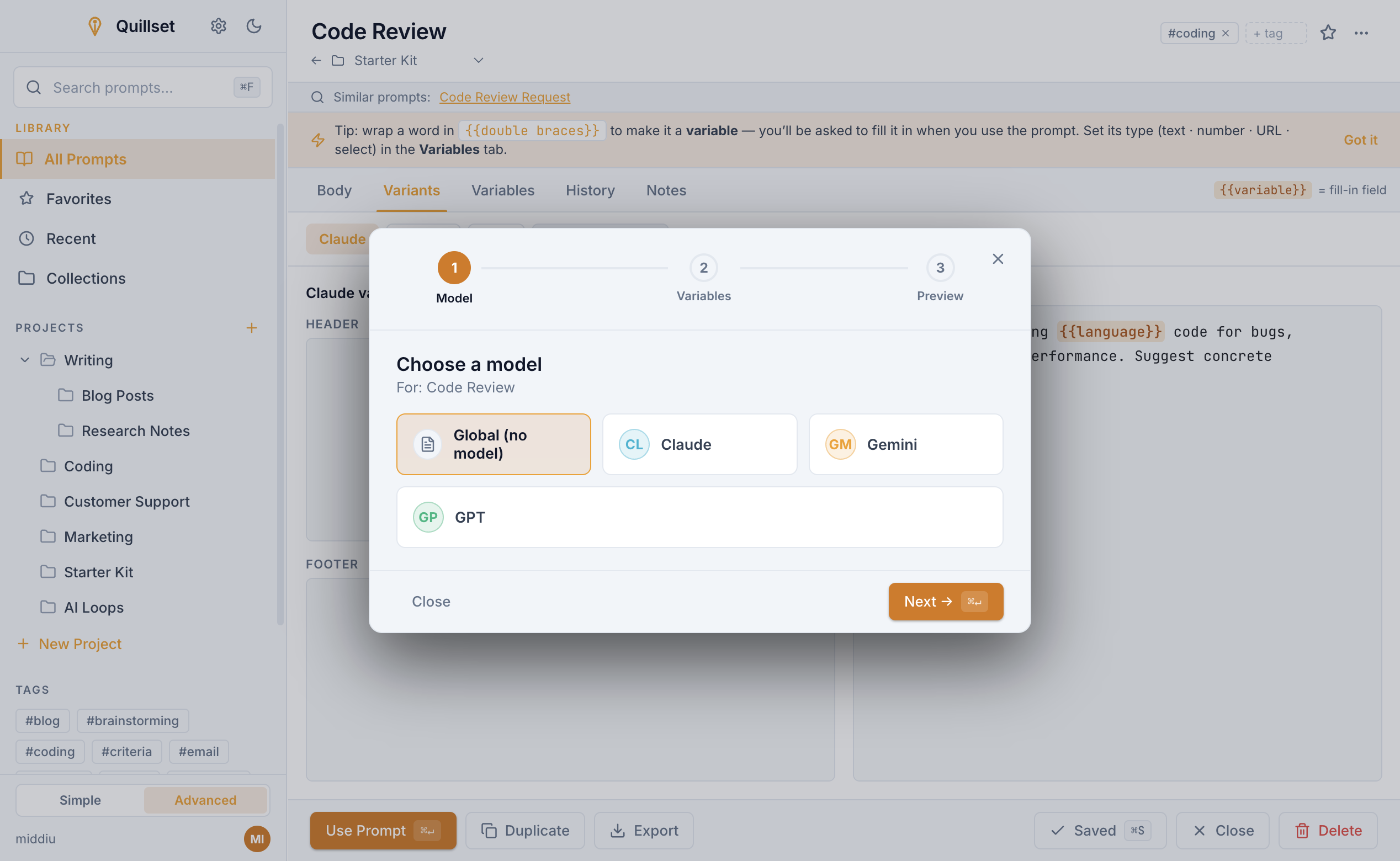
Pick a model, fill in the blanks, preview — a friendly wizard walks you through every time.
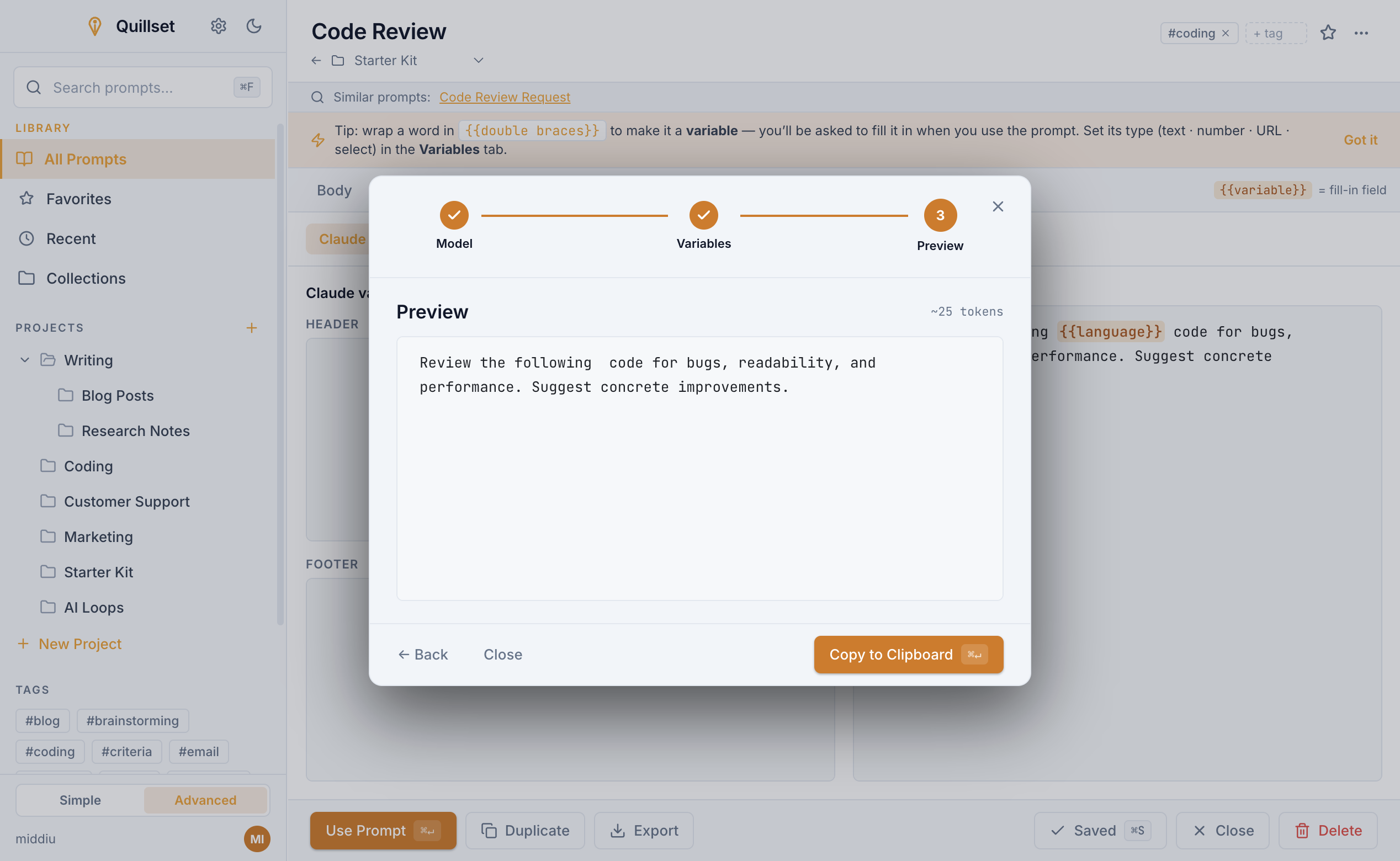
See the final prompt before you use it, then copy it straight into your favorite AI tool.
Why Quillset
Quillset keeps things simple for first-timers, while quietly offering variants, tags, history, and structured reuse for the day you want them.
If you can type into a chat box, you can use Quillset. Save a prompt once, fill in the blanks next time. No setup, no jargon, no coding.
Keep your best prompts with notes, tags, projects, and favorites so good work is never lost in a sea of chat tabs.
Mark the parts that change with simple {{placeholders}}. Quillset turns each prompt into a clean form you just fill in.
Keep one prompt and add small tweaks for Claude, ChatGPT, Gemini, Grok, or local models — without copy-pasting templates around.
Hit a global shortcut, search, fill in the blanks, and copy. The prompt you need is always a keystroke away.
Everything works offline and lives on your device. No account needed for everyday use, and nothing is sent to a server.
How it works
Quillset follows the way AI work really happens: find a prompt that works, keep it organized, then reuse it without the friction.
Found a prompt that works? Give it a name and keep it. Add tags, notes, and blanks to fill in later.
Group prompts by project or collection, mark favorites, and find anything instantly — no more digging through history.
Pick your AI tool, fill in the blanks, preview the result, copy, and get back to work.
Built for everyone
AI Loops & Agentic Workflows
Modern AI work isn't a single prompt — it's a loop. Refine, research, critique, and iterate. Quillset's collections and variants let you build repeatable agentic workflows that get better with each run.
See how Quillset works or learn about offline-first privacy.
Chain prompts that review and improve each other's output. Save your base prompt, the critique prompt, and the revision prompt as a collection — then run the loop consistently.
Break complex research into steps: summarize, extract, synthesize. Each step is a saved prompt. Link them in a collection and reuse the entire workflow for new topics.
Build agentic workflows with planning, execution, and verification phases. Quillset keeps each step organized, versioned, and ready to run at a moment's notice.
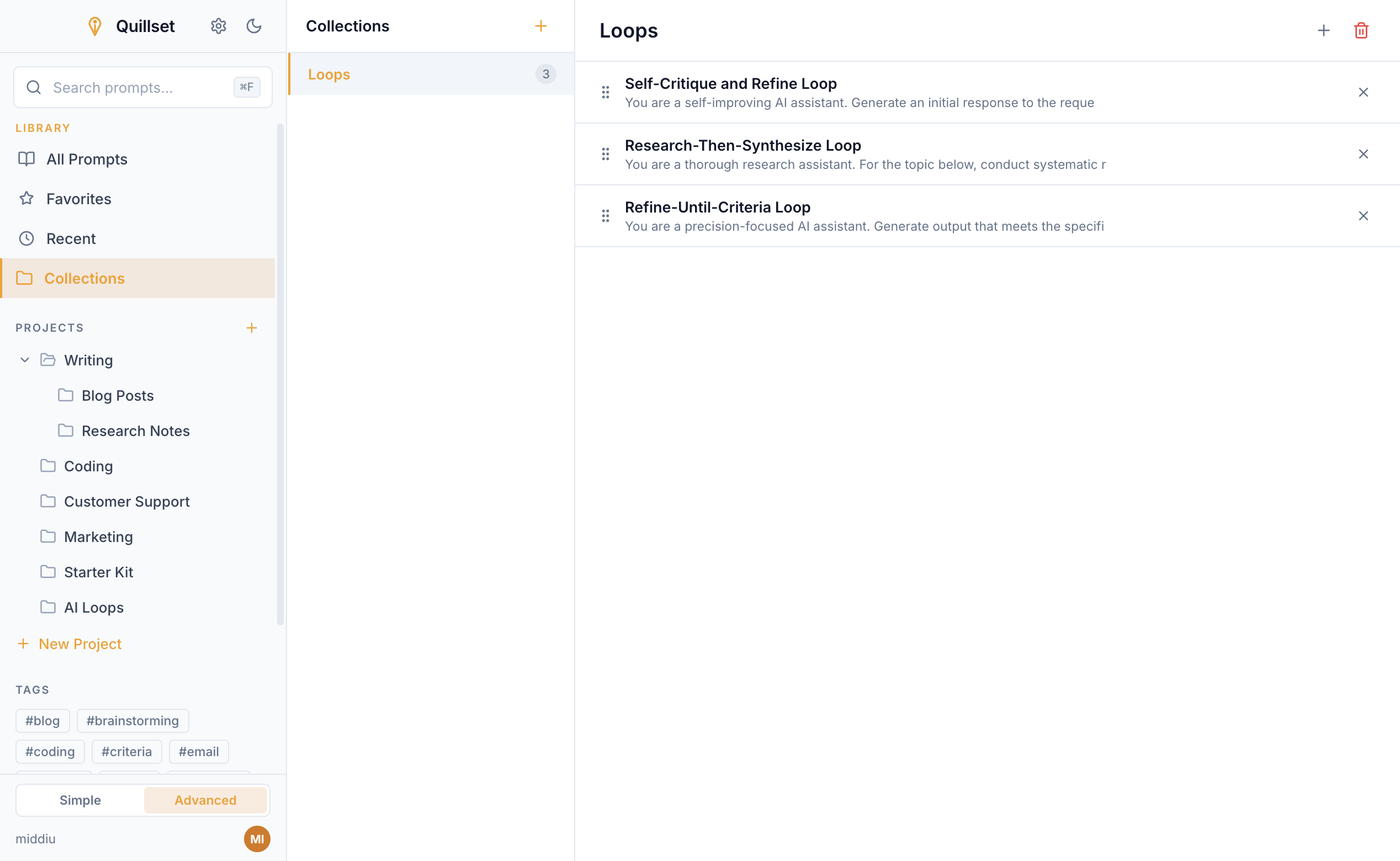
Keep every step of a loop — base, critique, and revision prompts — together in a named collection you can run again and again.
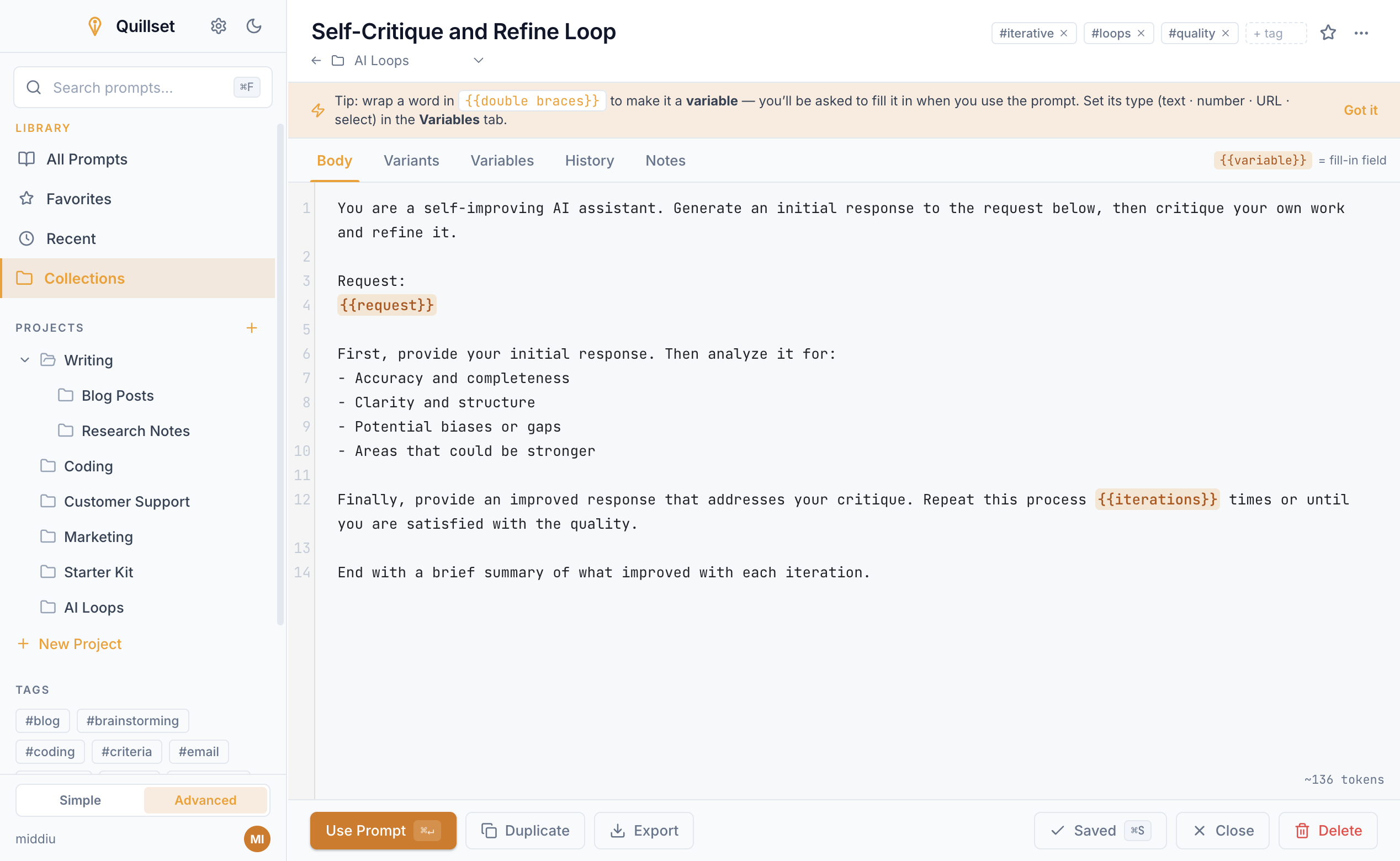
Open any loop step, fill in its {{variables}}, and copy a ready-to-run prompt — no rewriting the workflow from scratch.
Privacy by design
Quillset is a desktop app first, not a hosted prompt database. Your work stays local, fast, and available without a network connection.
Have questions? See the FAQ or contact support.
Download
Available for macOS, Windows, and Linux. Pick your platform and start saving prompts in seconds.
Linux is free — pick the package that matches your distribution; the AppImage runs anywhere without installing. macOS and Windows are a one-time $3.99, about the price of a coffee — no subscription, no recurring fees.
Questions
Learn more about how Quillset protects your privacy or explore AI loops and agentic workflows.
Not at all. Quillset is built for everyday people who use AI tools. If you can type into ChatGPT, you can use Quillset. Start in Simple mode and ignore the advanced features until you want them.
No. Quillset stores and organizes your prompts. You copy the finished prompt into Claude, ChatGPT, Gemini, or any tool you already use.
Yes. Quillset is local-first and stores your prompts on your device. Everyday prompt work needs no internet at all.
Quillset is available on macOS, Windows, and Linux. Get the macOS and Windows builds from their app stores, and download the .deb or AppImage for Linux.
Yes. Your prompts are stored locally on your device in an encrypted database. We never see your content, and nothing is sent to our servers. You are in full control of your data.
Absolutely. Quillset supports iterative prompt workflows including self-critique loops, research chains, and multi-step agent prompts. Save each step as a prompt, link them in collections, and reuse complex workflows consistently.
Quillset includes built-in export tools to back up your entire prompt library. Export to JSON or text formats anytime, and import your library on another device. Your data is portable.
No account is required for everyday use. Quillset runs locally on your computer. Optional cloud features may require an account in the future, but core prompt management will always work offline.
Linux is completely free. For macOS and Windows, Quillset is a one-time purchase of $3.99 — about the price of a coffee — with no subscription and no recurring fees. Buy it once and it is yours, on every device you own.
Yes. Quillset can keep its database inside a cloud-sync folder such as Google Drive, OneDrive, or Dropbox. Open Settings → Database & Sync and choose your cloud folder — Quillset even detects the common ones for you — and the same prompts, tags, and projects show up on every device you sign in with. No separate account with us, and nothing passes through our servers; the file simply syncs through your cloud provider like any other.